Know what changed.
Understand the result.
A setup number means more when you know which car it belongs to, what was installed, and what happened on track. RDT keeps those details together.
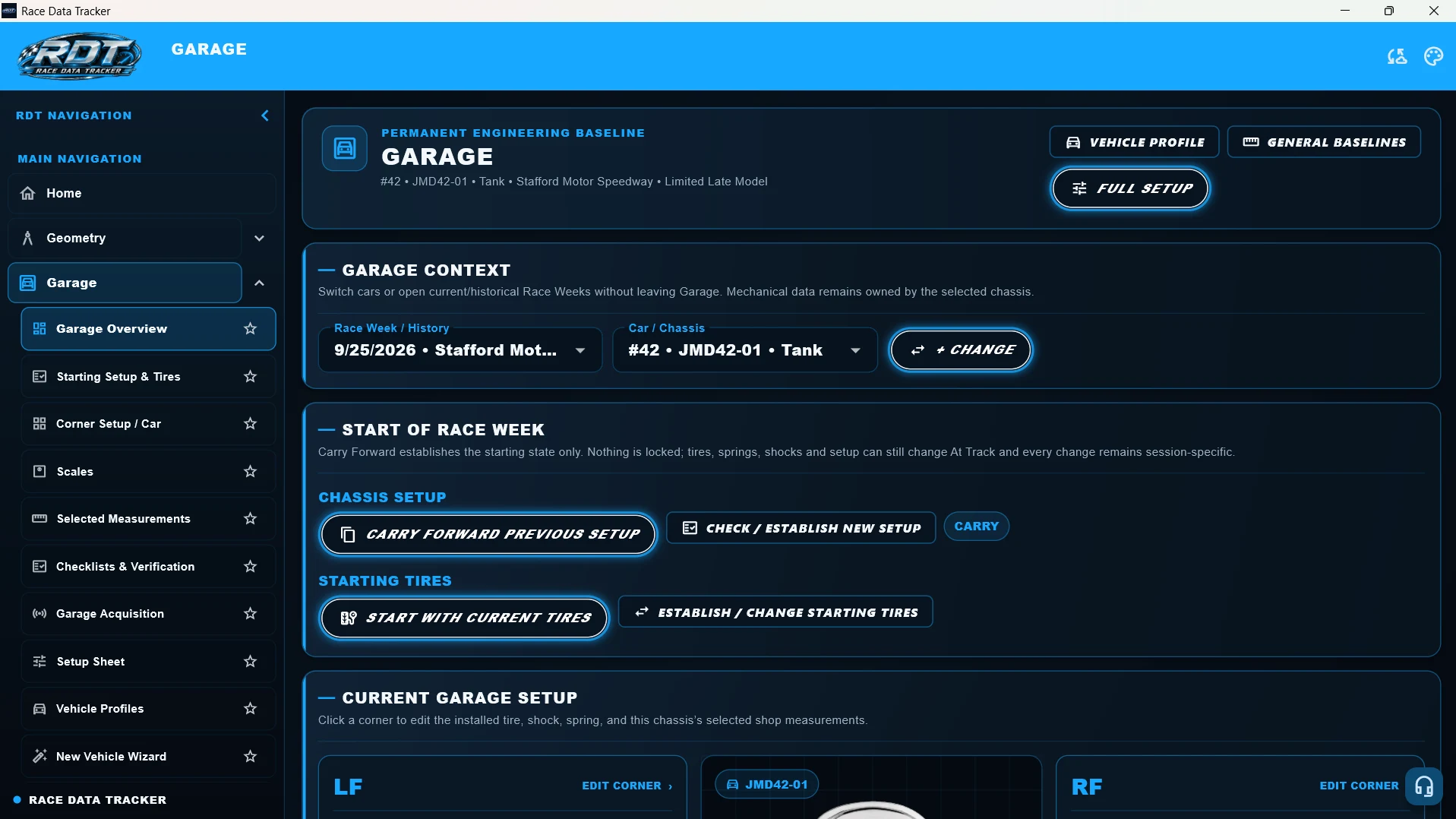
Bring the right starting setup
to the right car.
Garage keeps the mechanical baseline with the actual chassis. Vehicle profiles, installed components, measurements, and setup records give the team a consistent place to start each race week.
What you record
- The selected car and chassis, track, division, and race week.
- Springs and shocks by corner; camber, caster, toe, and frame heights.
- Corner weights, front and rear stagger, pinion angle, and sway-bar preload.
What you get back
- A setup sheet that brings the recorded settings together.
- A race-week starting state carried forward from the previous setup, or established as a new setup.
- Chassis-specific history so two cars with the same number do not share the wrong baseline.
Returning to a track? Select the chassis and review its previous race week. Carry forward the setup you want to start with, then check the components and settings actually on the car before the first session.
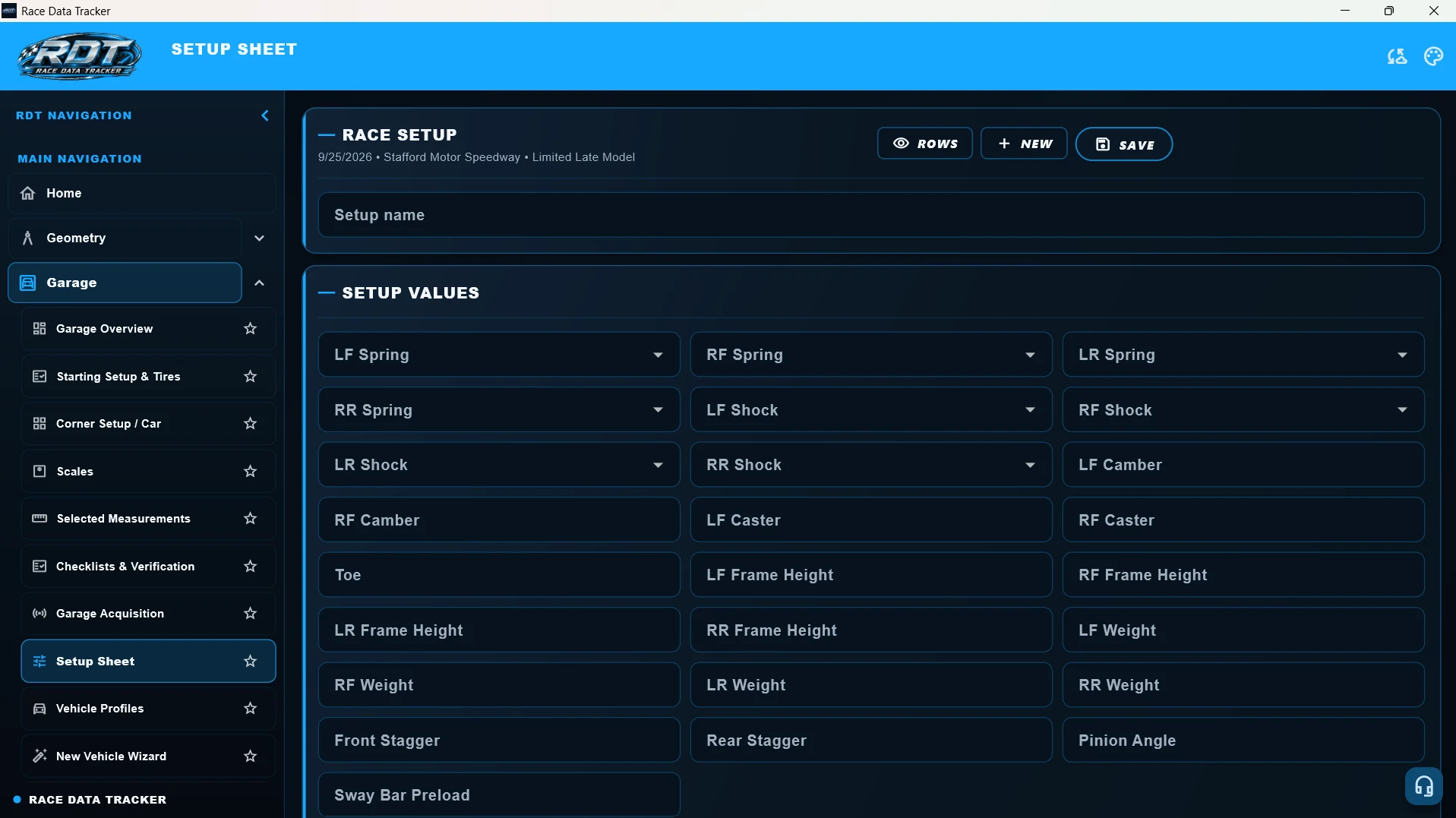
Know where your suspension is mounted.
See what the geometry means.
Chassis mapping gives the team a measured reference of its own car. Suspension calculations use those locations, while the saved baseline provides a reference for repeat measurements.
What you record
- Chassis reference points and suspension hard-point locations.
- The suspension architecture and current mount configuration.
- Ride heights and the reference values needed by the selected calculation.
What you get back
- A persistent chassis map, rather than a fresh set of measurements for every race week.
- Front-geometry calculations and visual references based on the entered points.
- A baseline to compare against when checking whether a measured point has moved.
After changing a mount position, record its new location and review the resulting geometry. After a wreck, measure the same reference points again and compare them with the saved baseline; an unexplained difference tells the team where to investigate.
Protect eligibility.
Learn the tire. Manage its life.
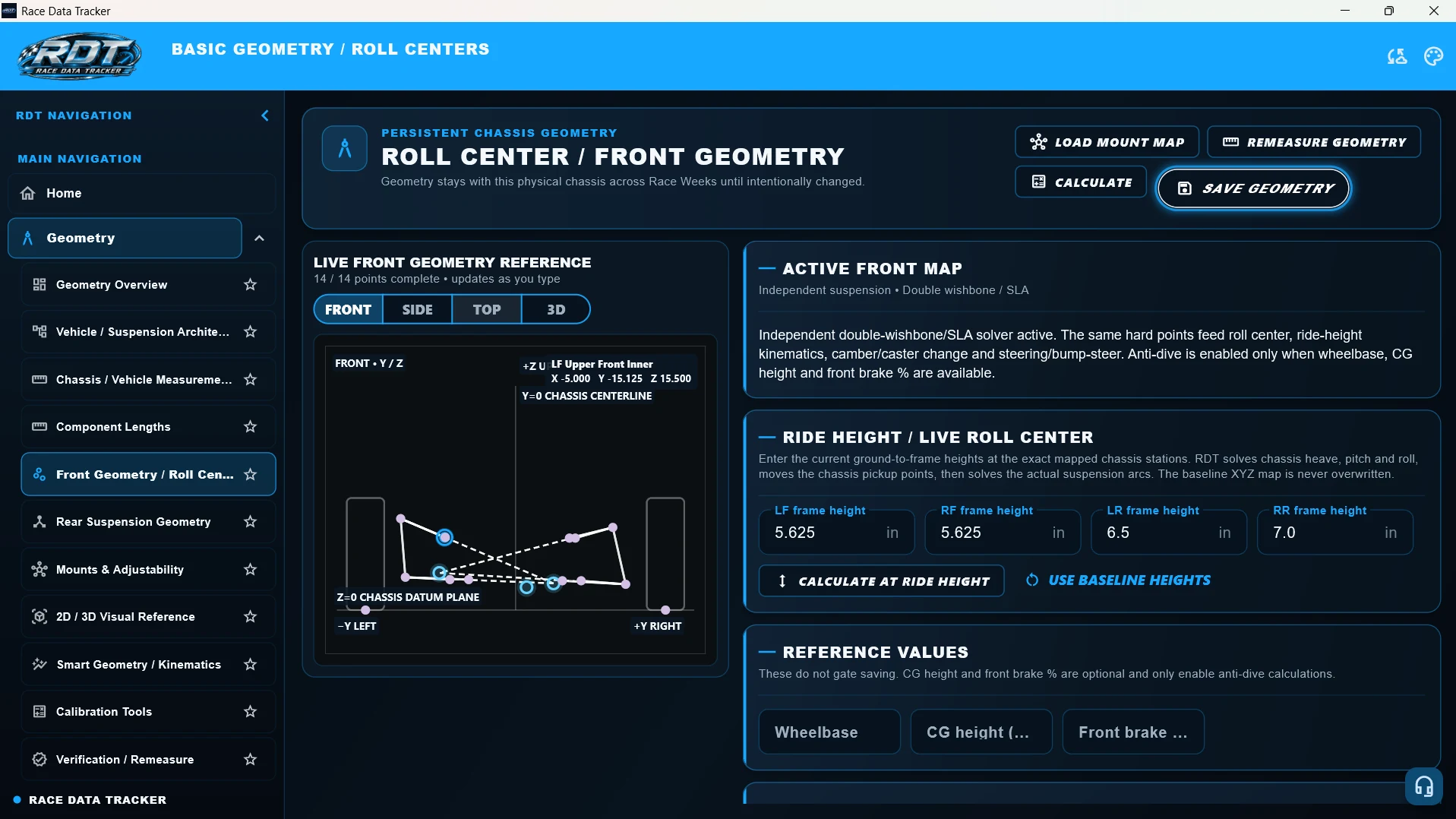
At tracks with a registered tire inventory for each driver, a tire must belong to that driver’s eligible inventory before it is run on the car. A tire outside that inventory can mean disqualification. RDT helps keep the driver’s tire records and each individual tire’s history organized for the crew.
What you record
- The driver’s track tire inventory, with identifiable tires for the applicable track and division.
- Tire ID, compound, size measurements, pressures, temperatures, laps, heat cycles, and condition.
- Brief run notes and driver feedback, kept with the tire’s car, corner, and session context.
What you get back
- A reference for checking fitted tire IDs against the driver’s official track inventory.
- Useful tire notes to review without reconstructing the history from scattered records.
- A growing reference for learning a new division tire, plus life-cycle history to help plan replacements under tire-credit limits.
With limited tire credits, a team may keep the LF tire in service across many race weekends. Retain its laps, heat cycles, sizes, condition, and feedback so its history is available when deciding how to use the next credit. Eligibility and remaining useful life are different questions.
Remember what you changed
between one run and the next.
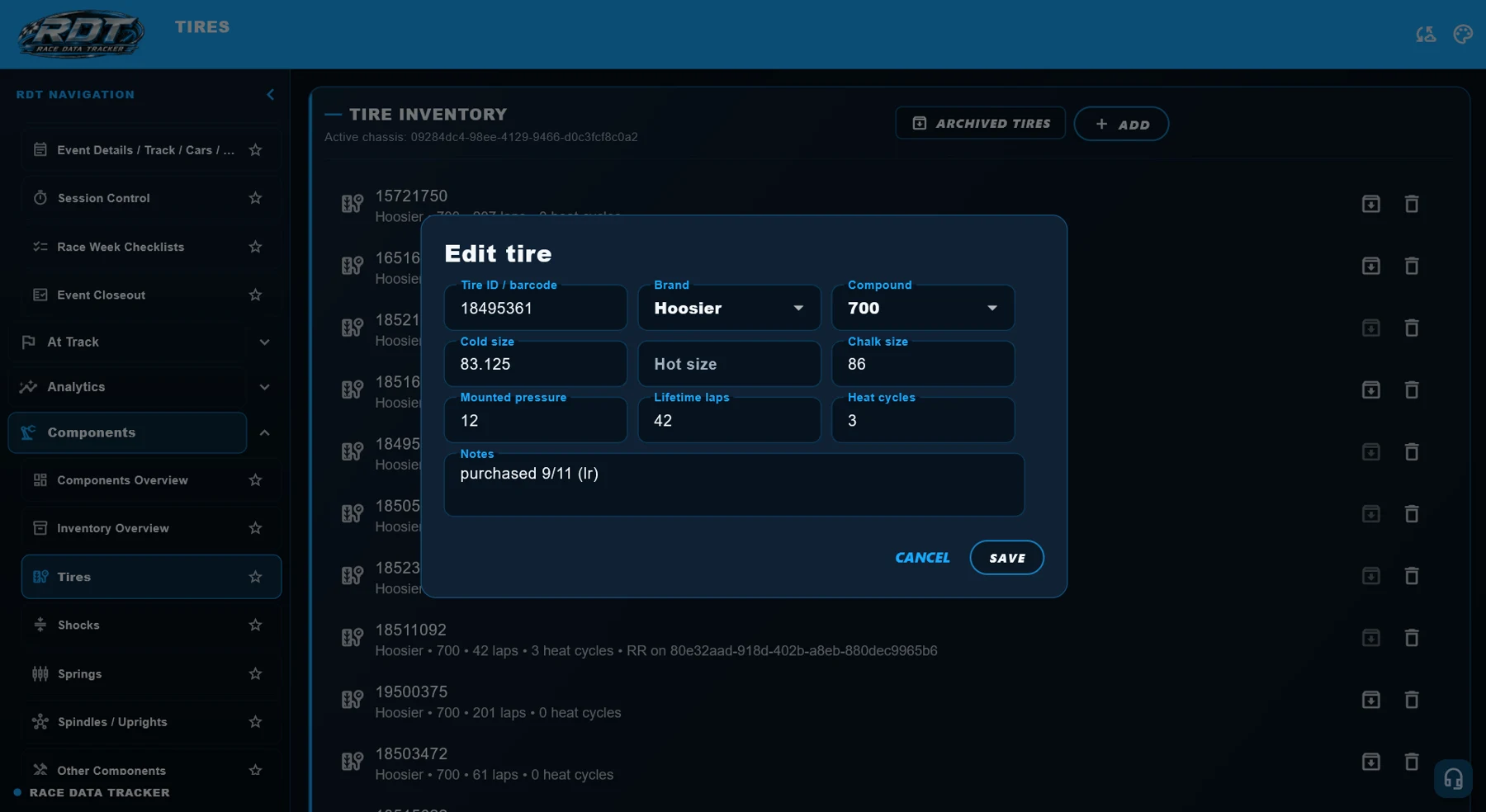
At Track records the race weekend as it happens: sessions, changes, conditions, and driver feedback. That context helps the team distinguish the starting setup from the adjustments made during the event.
What you record
- The car, race weekend, session, and run being recorded.
- Setup and tire changes, track conditions, and tire readings.
- Lap times and the driver’s description of how the car behaved.
What you get back
- A session record that connects the change with the conditions and result.
- Notes the crew can review between sessions instead of reconstructing the run from memory.
- A record to bring back to the shop and consult before the next visit.
The driver reports that the car becomes tight late in the run. Record when it happened, the tire readings, and the change made before the next run. Review the next run beside that context rather than relying on the lap time alone.
Give the lap time
the context it needs.
Lap-time records show the performance of a session. Setup notes, conditions, tire information, and driver feedback help the team interpret that performance without assuming one change caused the result.
What you record
- Lap times for the correct session and run.
- Relevant setup changes and track conditions.
- Driver feedback and tire information from that run.
What you get back
- Lap-time history associated with the race session.
- Recorded information to review when a run gets quicker, slower, or less consistent.
- A more useful reference for planning the next session or race weekend.
A faster lap could follow a setup change, better track conditions, or both. Review the lap record alongside the changes and notes before deciding what to repeat.
Share the resources.
Keep every car and part distinct.
Individual teams, multi-car teams, and multi-driver teams need shared crew information while keeping each chassis, driver’s track tire inventory, and component record identifiable. Authorized members use their own accounts to work with the team’s information.
What you record
- Separate chassis records and the starting configuration for each car.
- Driver identification and feedback in the appropriate run record.
- Shared inventory entries with individual identifying details, specifications, and notes.
What you get back
- A common team reference with individual logins and access limited to authorized app sections.
- Car-specific setup and geometry history alongside the team’s shared equipment.
- Individual part records alongside distinct driver track tire inventories and each tire’s usage history.
A two-car team shares spare components, but each car keeps its own installed configuration. Record the actual part selected for each car and corner, then keep tire readings and driver feedback with the correct run. The crew can share the information without merging the cars’ histories.
Share the work.
Control access to the data.
Every team member should have their own login. Owners and authorized administrators can restrict access to different parts of the app so each person has the tools needed for their role. Your team’s race records are shared through authorized access.
The plan covers the team and its cars, with features and active-car limits set by the selected plan. Each crew member uses their own account without purchasing a separate team subscription for that login.
See the tools.
Then put them to work.
The Tech Center explains how Geometry, Garage, and At Track fit together, from the chassis baseline to the run record.
Open the Tech CenterFeature availability depends on your plan, platform, and app version. See plan details before purchasing.
Real tools for the real car.